
Redirects and Form Chaining
Send users onward after a successful submission, or connect several forms into a guided sequence.
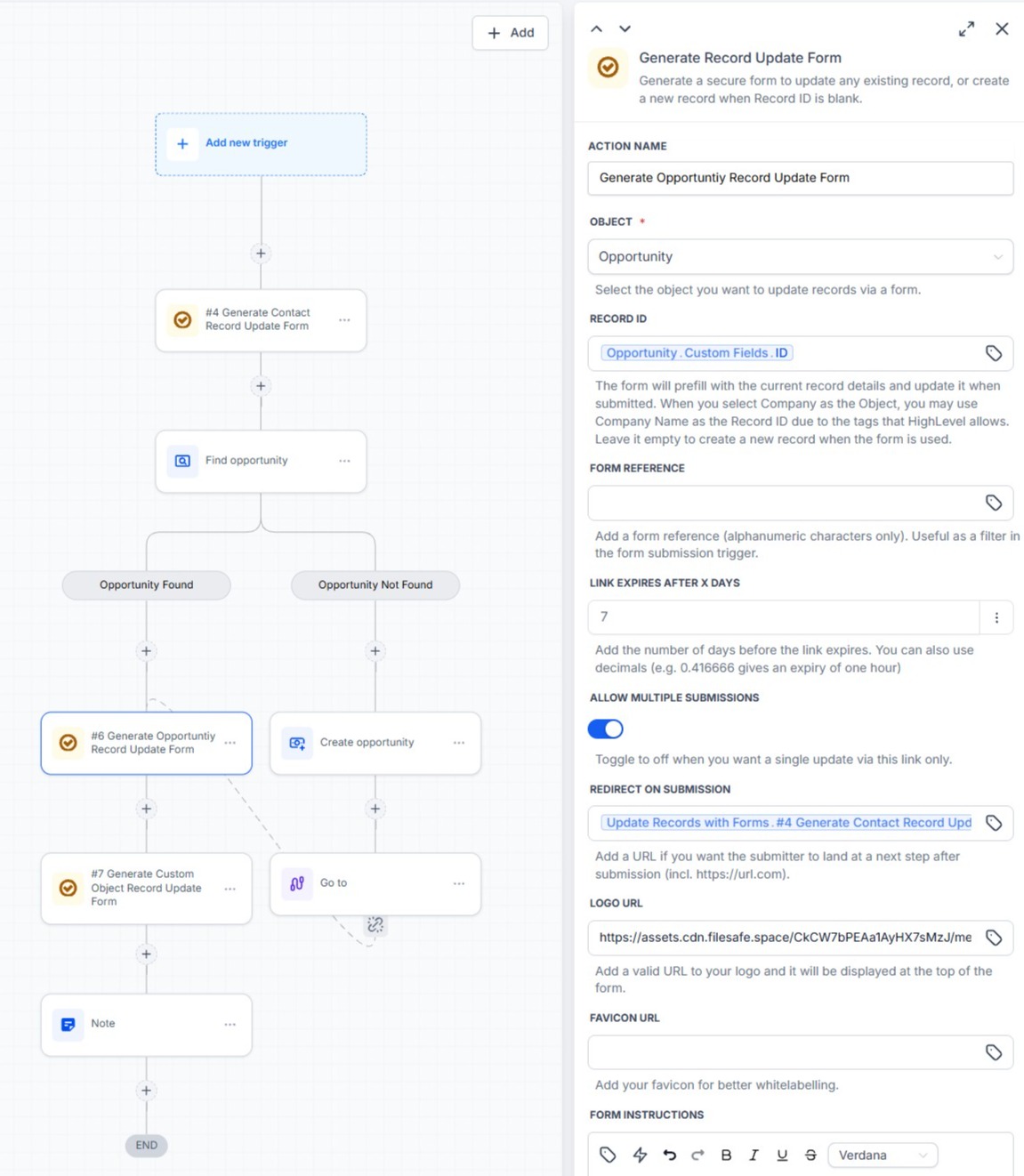
A workflow can provide a URL that the user should be sent to after a successful form submission, using the Redirect on Submission setting.
Standard Redirect
Example: form submitted → redirect to a confirmation page.
Chaining Forms
Multiple generated forms can be connected into a sequence.
Contact Details Form
→
Property Details Form
→
Documentation Form
To create this:
- Generate the final form first.
- Capture its returned Form URL.
- Generate the previous form.
- Use the later form's URL as its Redirect on Submission value.
- Continue backwards if additional forms are required.
This allows HighLevel workflow variables to dynamically connect forms.
No Redirect
If no Redirect on Submission URL is configured, the form shows the standard success state:
Changes saved
Your changes have been saved.
Your changes have been saved.
When multiple submissions are allowed, an Edit Again button is also shown, so the user can return to the form.